


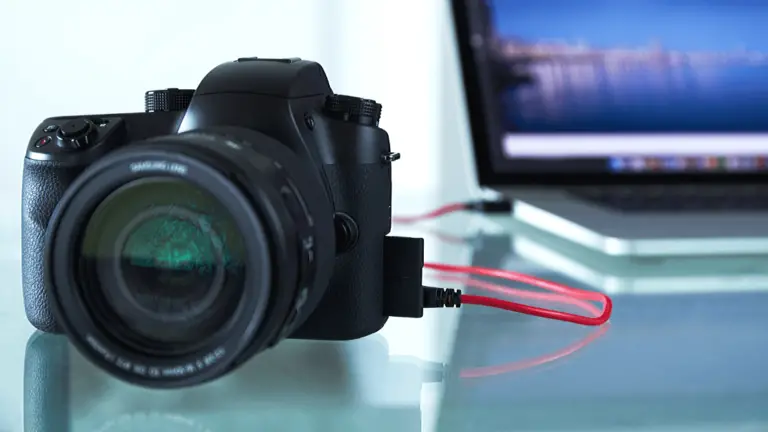
We’re in a weird time for certain tech niches that used to be quite limited. Live streaming had somewhat been relegated to a somewhat small subset of people and connecting your camera to your computer for broadcasting was pretty much seen as a “hobby” or only for gamers or kids. But with so many people now working from home (or out of work), more and more people are looking to get better streaming video by using their camera as a webcam.
It’s definitely not hard to connect your camera to your computer to use it for streaming in applications like OBS, Streamlabs, Xsplit, or other streaming-specific applications that can see most capture devices. But unlike these applications, video calling or conferencing applications aren’t built with this robust support.
Contents
- 1 Why do USB webcams work in video conferencing apps and cameras/video capture devices don’t?
- 2 Our top pick: Elgato Cam Link 4K
- 3 Best alternatives to the Elgato Cam Link to use your dslr or mirrorless camera as a webcam
- 4 Software options: SparkoCam, CamTwist, Canon EOS Webcam Utility Beta (new)
- 5 Final thoughts
Why do USB webcams work in video conferencing apps and cameras/video capture devices don’t?
Applications like Skype, Zoom, Hangouts, and others are built to work with webcams that everyone has in their laptops, or connected via USB to their computer. The protocol being used here is called UVC, or USB Video Device Class. Basically, this is a protocol that advertises the device with a certain configuration that these applications can see without requiring specially dedicated drivers.
UVC is really meant for consumer webcams, which more specialized video capture devices technically are not. But as more and more people get into streaming, they also want to use these setups as cameras for Skype and other platforms, and more manufacturers are building in UVC support to their devices.
Unfortunately, not even all modern capture devices support it, and figuring out if a device you are looking for does support UVC can be difficult, requiring reading a bunch of specs lists to come up with an answer.
We’ve received enough comments, tweets, and other interactions asking about whether devices support UVC or why their capture device won’t work in Skype that we’ve decided to put out a list of our suggested UVC-supporting devices so you can use your DSLR or mirrorless camera as a webcam.
Unlike many of our guides, we’re not going to go into features or anything in the list below. Just our favorites and some others that may be good alternatives if the top picks aren’t available given the current circumstances.
Our top pick: Elgato Cam Link 4K
No products found.
As is the case with our previous streaming camera guide and how to live stream guide, the Elgato Cam Link 4K gets our top nod. It’s easy, inexpensive, and works excellent for streaming as well as providing a great UVC interface for video calling applications.
Unfortunately, it’s also sold out pretty much everywhere. We’ve provided some options in our best alternative live streaming equipment guide, but not all of those are UVC-compatible. All of the below devices are, however. Not all of them will be available, but they’re worth listing in case they somehow become available in the future.
Best alternatives to the Elgato Cam Link to use your dslr or mirrorless camera as a webcam
BlueAVS Audio Video Capture Card
No products found.
Elgato Game Capture HD60 S+
No products found.
Note: While the names are similar, the Game Capture HD60 and HD60 S do NOT support UVC. The HD60 S+ is the first and only in the HD60 line that does support this protocol.
AVerMedia Live Gamer Portable 2 Plus
No products found.
AV.io 4K
No products found.
AV.io HD
No products found.
AVerMedia Live Gamer Ultra
No products found.
AVerMedia BU110 ExtremeCap UVC
No products found.
PUTELTAL 4K HDMI to USB 3.0 Video Capture Card
No products found.
MiraBox
No products found.
Magewell USB Capture HDMI Gen2
No products found.
Software options: SparkoCam, CamTwist, Canon EOS Webcam Utility Beta (new)
If you really can’t get a hold of a UVC-compatible capture device and still need to use your camera as a webcam, there may still be hope. Various software solutions exist to take the USB feed from your camera and then capture that via screen capture and turn it into a virtual UVC device that your applications can see.
Update 4/28/20: Canon has released a new Windows-only beta software called Canon EOS Webcam Utility, which allows select compatible EOS and PowerShot cameras to function as a high-quality webcam over USB as a UVC-compatible device. We’ve put together a quick overview of the Canon EOS Webcam Utility Beta software announcement for you to take a look at, and if you have a compatible camera this may be the best way to go without buying new hardware.
SparkoCam is the most popular option for using Canon and Nikon DSLRs as webcams. There is a free download that will leave a watermark on your video, but it works pretty well. Unfortunately, SparkoCam is not available for macOS, but is a great option for Windows if you don’t mind a watermark (or want to spend nearly as much as a capture device for a license).
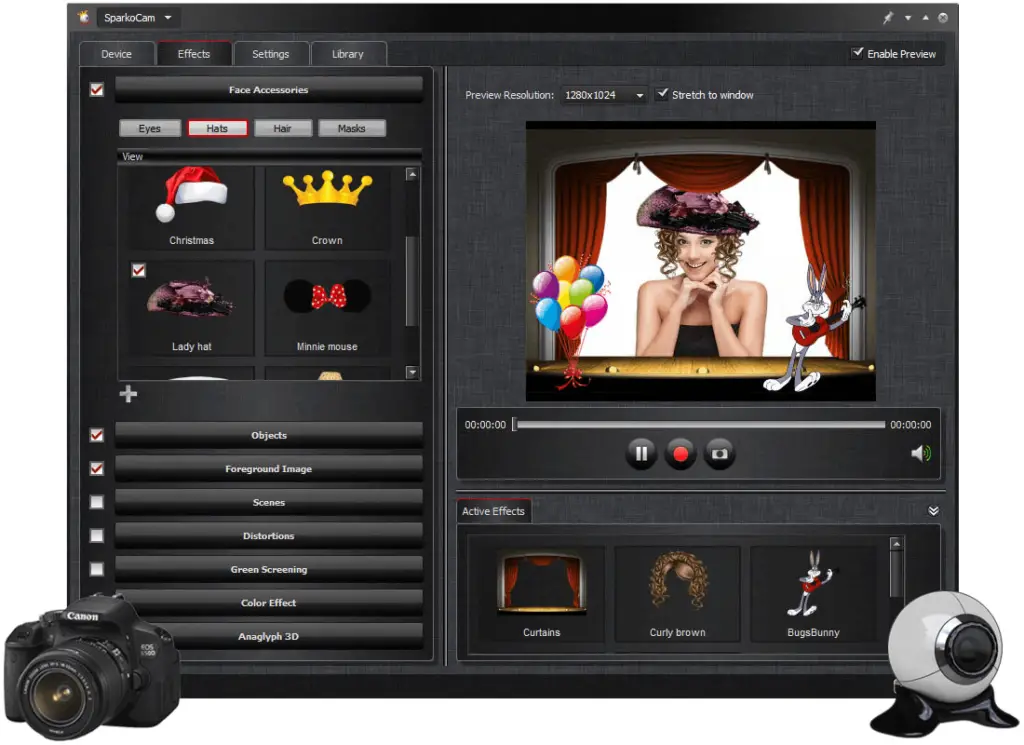
There is an option for Mac users to get your Canon camera (provided it’s on the compatibility list) to work with a two-application system using Cam Live and CamTwist. We’re not aware of a software solution for Nikon, Sony, or others so if you have one please let us know in the comments below!
Using a Canon DSLR as a webcam on macOS
- Install Camera Live and CamTwist on your Mac
- Open Camera Live > connect your DSLR to your Mac via USB
- In Camera Live, select your camera, it should say “Ready”
- Open CamTwist
- Select video source “Syphon” > set Syphon Server to “Camera Live”
- Open your video conferencing application of choice and change the webcam to “CamTwist”
Software solutions vs video capture devices
We’ll be honest, the software option is not the most ideal way to go, especially for lower power machines. If at all possible, a capture device would be best. But we also get that it’s a bit difficult to get hardware right now, and if it’s this or nothing, it’s better than nothing for sure.
Final thoughts
While there are hundreds of capture devices out there that work excellent for typical live streaming, they all don’t let you connect your mirrorless or DSLR for use as a webcam. Finding the devices that support UVC protocol may be a bit tricky, but we hope we’ve provided a list for you to get you started.
Do you have any suggestions that aren’t on the list? Questions about a particular capture device that you own? Feel free to drop a comment below, or reach out to us @creatorbeat_ on Twitter.




0 thoughts on “How to use a DSLR or mirrorless camera as a webcam [2022]”